Tuesday, October 9, 2012

Building Quality Tablet Apps

Posted by Reto Meier, Android Developer Relations Tech Lead


With the release of Nexus 7 earlier this year, we shared some tips on how you can get your apps ready for a new wave of Android tablets. With the holiday season now approaching, we’re creating even more ways for great tablet apps to be featured in Google Play - including a series of new app collections that highlight great apps specifically for tablet users.
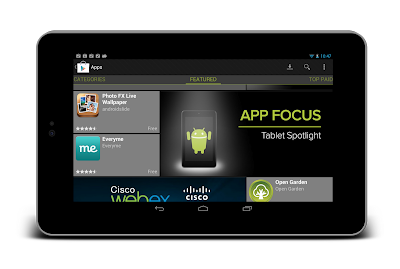


To help you take advantage of the opportunity provided by the growing tablet market, we’ve put together this Tablet App Quality Checklist to make it easier for you to ensure your app meets the expectations of tablet users.


The checklist includes a number of key focus areas for building apps that are a great experience on tablets, including:

  • Optimizing your layouts for larger screens

  • Taking advantage of extra screen area available on tablets

  • Using Icons and other assets that are designed for tablet screens


Each focus area comprises several smaller tasks or best practices. As you move through the checklist, you'll find links to support resources that can help you address the topics raised in each task.


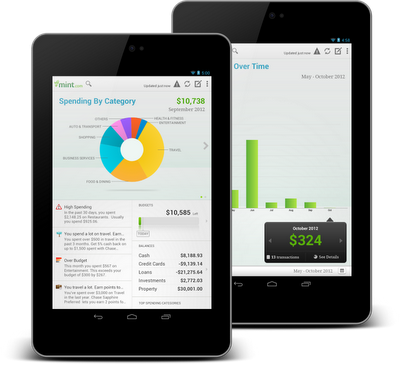
The benefits of building an app that works great on tablets is evident in the experiences of Mint.com, Tiny Co, and Instapaper who reported increased user engagement, better monetization, and more downloads from tablet users. You can find out more about their experience in these developer case studies.


The Tablet Quality Checklist is a great place to get started, but it’s just the beginning. We’ll be sharing more tablet development tips every day this week on +Android Developers. In Android Developers Live, Tuesday’s Android Design in Action broadcast will focus on optimizing user experience for tablets, on Thursday we’ll be interviewing our tablet case studies during Developers Strike Back, and on Friday’s live YouTube broadcasts of The App Clinic and Friday Games Review will be reviewing apps and games on Android tablets.


What are your best tips for building great

tablet apps?


Join the discussion on

+Android Developers


Monday, October 8, 2012

इस सेवा के लिए वोडा फोन को सलाम |

भारतीय टेलीकॉम कंपनियां अब समाजसेवा भी करने लगी हैं | वोडा फोन इंडिया ने एक अलग बिलकुल नए तरह के सेवा की शुरुवात की है |इस सेवा के तहत अगर किसी मरीज को इलाज के वक़्त खून की ज़रूरत पड़ती है तो वह अपने मोबाइल फोन के द्वारा रक्तदान के इच्छुक व्यक्ति को खोज सकता है या कोई व्यक्ति चाहे तो खुद भी रक्त दान कर सकता है। 


इस सब के लिए ज़रूरत है महज़ एक SMS की आपको सिर्फ ‘BLOOD’लिखकर 55444 पर sms करना है। इसके बाद कुछ एक आसान सवालों का जवाब देने पर आप किसी रक्त दान करने वाले को खोज सकते है या खुद डोनर बन सकते हैं। ये सेवा उनलोगों के लिए बहुत लाभदाई है जो अपना इलाज कराने अपने शहर दे दूर दुसरे शहरो में जाते हैं जहा कोई पहचान वाला नहीं होता है और वहा खून की ज़रूरत पड़ जाती है| इस सेवा के तहत आप को सिर्फ उन्ही लोगो की जानकारी दी जाएगी जो आप से नजदीक होंगे ताकि ज़रूरत पड़ने पर उन्हें जल्द से जल्द खोजा जा सके या वो आप तक जल्द से जल्द पहुच जाएँ | इस सेवा के लिए वोडाफोन ने सिर्फ 1 रुपए की सर्विस फीस लागू की है। 


Choose the Best Online/Offline Navigation Map to Arrive Your Destination

When it talk about navigation maps, you may firstly think of Google Maps. Google Maps have developed for years and behave well when you are outside for certain destination. But know I would like to tell you another navigation app for android, it may even suits your needs.

TomTom is the world's largest car navigation brand which was founded in Amsterdam in 1991.It Committed to the development of the Global Positioning System (GPS) and other consumer products. It provides more rapid, safe, accurate, and convenient navigation service for the spindle, and continue to provide professional and technical support with map updates. Now it published the android navigation version.Some tomtom users may be excited about this.


Before you go out for someplace you are not so familiar with, a lot people like to make a plan for the routine first. With the TomTom Navigation app, it couldn’t be easier to drive somewhere new. One way to keep navigation’s close at hand, You’ve always take your smartphone with you. If you drive to someplace which get no signal, don’t worry, this app works not only online, but offline too. It can help you to save money on data roaming costs, and you’ll have constant access to the same maps, technology and world-class navigation as on our satnavs. It’s the app that drivers can rely on.

You can always drive with the latest map. Tomtom will update its maps for accuracy often.After you bought it, you can get to your destination faster with FREE Lifetime Maps. For the life of your app, you can download 4 or more full updates of the map on your Android smartphone every year. Then you are likely to receive all updates to the road network, addresses and Points of Interest.

IQ Routes™ technology. It’s the distinguished feature that it differs from Google Maps.Only TomTom uses actual speed data collected from millions of users to accurately calculate the travel time of your route in the world. Thus it takes into account rush hour, traffic lights… even shopping crowds. So no matter what time it is and where you are, you can rely on IQ Routes to tell you when you’ll get there.

You know it’s annoying to run into the traffic jam,especially when on the way for holiday or work. Nobody want to waste time on this. Tomtom navigation for android is officially the quickest way through the traffic. With more collected accurate traffic info, wider coverage – and at least seven times more updates than anyone else - independent tests prove TomTom HD Traffic is the best way to beat the jams. Available via in-app purchase.

In conclusion,it supports offline drove guidelines, 2D/3D map mode, voice navigation features, a commitment to purchase lifetime upgrades the map. Map coverages areas in North America, Europe, and download maps ranging in capacity from 367MB-2.3GB.

Part of the region that contains the HD traffic data, and also supports flow monitoring features, resolution up to WVGA, support the Galaxy Nexus, Nexus 7, Galaxy S III and other the latest models.


You can click here for your region version for your android phone: Tomtom navigation for Android

Championship Rally 2012 Apk Android


Hold on tight, it’s going to be a bumpy ride! Championship Rally 2012 puts you in the driving seat as you speed, drift and career through some of the best rally action on mobile. Build up points and unlock better cars as you negotiate 12 increasingly difficult and varied courses. Prove you are up to the challenge as you compete to become the ultimate Rally Champion!


KEY FEATURES
* Four modes to play: Quick Race, World Cup, Time Attack and Hot Seat
* Pass'n'Play multiplayer lets you compete for the best lap times with up to three friends
* Different, world class, rally cars to unlock, each with different characteristics
* 12 exhilarating courses to race, featuring a variety of different terrains and weather conditions to test your driving skills

Click For Download
Direct Download Link


Sunday, October 7, 2012

Meridian Media Player Pro Apk Android


The most functional and customizable player for your video and music in phone. The video and music player with most customizable space.

Convenient gestures to control. Advanced media folder settings, you can set including and excluding folders -- in ANY DEPTH. Not only one level under /sdcard now.

PlayQ rather than playlists, can handle videos, musics, and their MIXTURE. Also, you can put a folder, an artist, an album or like that into a PlayQ.


Other features:
- Music tag editing (mp3, flac, ogg, mp4 audio, etc.)
- .srt subtitle support
- Song rating, can synchronize with PC in Pro version
- Play video as music, for your music videos
- Toolkit to rescan SD card, clean media database
- Folder browsing and index browsing
- Customizable tabs
...and more.

Click for Download

Apk Files
Direct Download Link

Pro Key
Direct Download Link


360 Panorama Apk Android


360 Panorama by Occipital makes its debut on Android! Beautiful panoramas made easy.
Take stunning 360 panoramas everywhere. 360 Panorama turns your Android phone into a full featured 360 degree panoramic camera. Easily capture immersive panoramas in seconds and instantly share your 360 view with the world. Simply pan the camera and watch as images are stitched seamlessly. 360 Panorama captures the scene in a way you never could with a traditional camera.

Designed to take full advantage of your device.

• Unbeatable speed: Taps into the raw power of your device to stitch panoramas in realtime.
• Never forget a location: Each panorama is GPS tagged, complete with a compass heading.


Share your immersive 360 views - with anyone.

• Share online: View uploaded panoramas on any computer or device. App not required!
• Post on Facebook: Post 360 views on your wall or to a photo album - all from the app.
• Tweet in 360: Share scenes your friends can view anywhere, even inside their Twitter app.
• Email 360 views: Say “wish you were here” in a whole new way.


More than an app - an amazing website, too.

• Free and safe panorama storage online: Upload panoramas to your Occipital account for access from any desktop or mobile browser any time.
• Automatic quality boost: Cloud enhancement automatically retouches and improves your panoramas over time using advanced algorithms!
• Join the community: Build a world of panoramas for everyone to enjoy on 360VERSE.com.
• Share and embed: Sharing is just as easy as in-app. Plus, you can even embed panoramas into your website or blog.

360 Panorama is new to Android, but check out what's been said about the iPhone version:
"Instant, awesome panoramas"- CNET
"Easy as pie…impressively sharp." - Gizmodo
"Feels like magic" - TUAW (The Unofficial Apple Weblog)
"Just download this 360 Panorama App. Kinda dope…" - Chamillionaire

Click for Download
Direct Download Link


Wednesday, October 3, 2012

How to Play FLV Files in Windows Media Player


How to Play FLV Files in Windows Media Player


As You all know Windows Media Player by default does not allow to play FLV (Flash Videos), after downloading YouTube videos we use either K-Lite pack or download other FLV Players to run Flash videos. So many people install other players for FLV files. But it is possible to play FLV files in windows media player. It is possible with only one  Windows Media Player plugin called PlayFLV that enables WMP to playback FLV files. And No other requirement. It Can be operated by any one because it is very easy to operate

Here is some features of PlayFLV
Features:-
  1. Enables Windows Media Player to playback FLV files
  2. All default functions, such as zooming, skipping and full screen view
  3. Creates file association: Double-click FLV files to play them in Windows Media Player
  4. Very lightweight plugin
  5. Free
  6. Open source
  7. Easy to install
  8. Easy to operates
So Friends Wait for what just download it and enjoy the Features of
I am waiting for your feedback so please reply vai comment
KEEP VISITING
